

|
Name |
Koloro |
|---|---|
|
Google Play Link |
GET IT ON
Google Play
|
|
Category |
Photography |
|
Developer |
cerdillac |
| Last version | 6.2.8 |
|
Updated |
|
|
Compatible with |
Android 5.0+ |
Introduction to Koloro
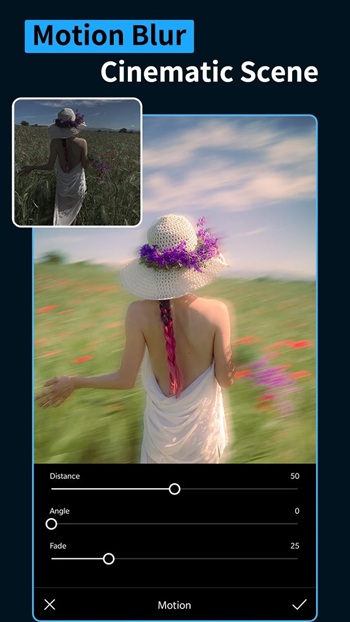
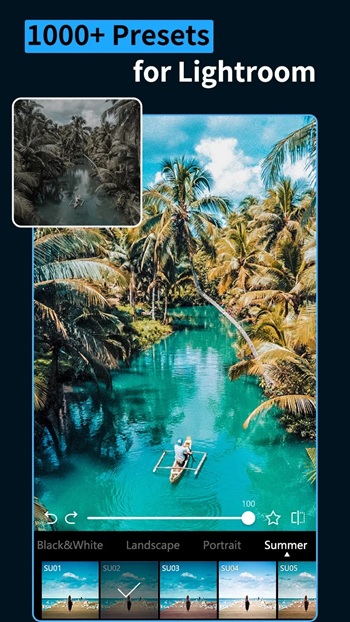
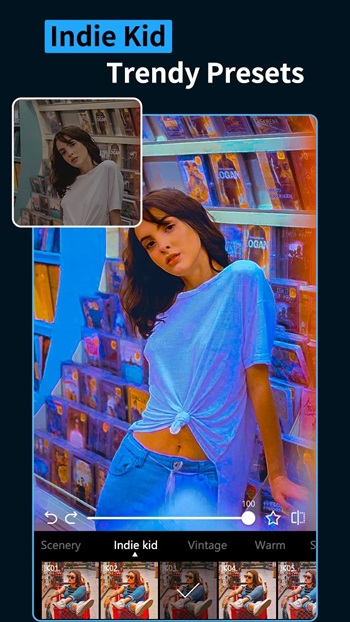
Koloro is a mobile photo editing app that caters to anyone who’s ever paused mid-scroll and thought, “How do they make their photos look that good?” Designed as a utility tool for Android and iOS users, Koloro gives creators of all levels the ability to build stunning visuals with zero desktop drama. From its massive preset library to pro-level editing tools, this is one of those rare apps that balances quality with ease, helping people build a unique aesthetic without getting lost in complexity.
This isn't your average filter app. Koloro is fully stacked with carefully curated presets, overlays, and manual adjustment tools that don’t just slap on effects—they let you shape the vibe you’re aiming for. Whether you’re prepping your Insta feed, creating content for a brand, or just posting pics for fun, Koloro hits that sweet spot between technical power and mobile simplicity.
It’s especially popular among content creators who don’t want to spend hours editing on desktop software. Everything runs smoothly from your phone. The layout is clean, quick, and doesn’t flood you with unnecessary options. You open the app, upload your photo, swipe through some presets, and boom—you’re ready to post. You can even tweak the tiniest details like highlights, shadows, curves, and HSL for a custom finish that doesn’t scream "template."
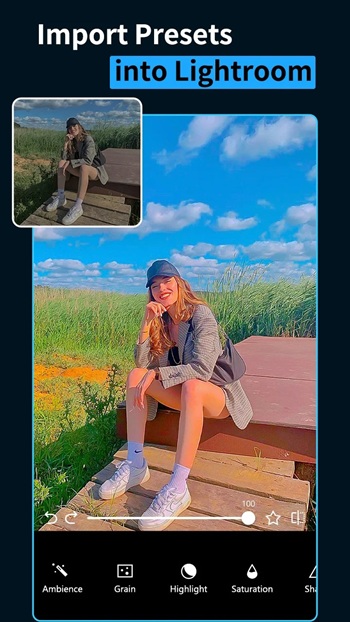
But Koloro isn’t just about editing single shots. It has features that actually help you keep your personal style consistent across your feed. You can save your favorite settings, batch edit a series of photos, or import Lightroom presets directly. This kind of integration bridges the gap between everyday users and more serious photo editors, making Koloro feel like a pocket studio.
One of the standout elements? Overlays. Koloro doesn’t stop at filters—it adds personality. Want subtle light leaks? Film textures? Soft shadows or bokeh? It’s all there, and you can dial it up or down depending on the look you’re going for. And if you're experimenting, don’t worry—nothing’s permanent. All edits are non-destructive, so your original images stay untouched.
Koloro also takes sharing seriously. Once you’ve nailed the edit, posting to Instagram, Snapchat, or anywhere else is just a few taps away. It’s clear the app was built with creators in mind—people who want their visuals to be them, not another trend copy.
Overall, Koloro has positioned itself as a tool for people who want their images to look pro-level without needing pro-level gear or software. Whether you're learning the ropes or already have your style locked in, this app is all about letting you create with confidence, speed, and a bit of flair.
FAQs Koloro
What is Koloro?
+
Koloro is a mobile photo editing app designed for Android and iOS, packed with presets, overlays, and pro editing tools for easy, high-quality edits.
Is Koloro free to use or does it require a subscription?
+
Koloro offers a free version with many tools, but some advanced presets and features require a paid upgrade for full access.
Can I use Lightroom presets in Koloro?
+
Yes, Koloro supports importing Lightroom presets, which is perfect for users who want to sync their editing style across platforms.
What makes Koloro different from other editing apps?
+
Koloro stands out with its huge preset library, overlay options, Lightroom integration, and a clean mobile interface that’s easy for anyone to use.
Does Koloro save original images after editing?
+
Yes, Koloro uses non-destructive editing, so your original photos are always safe even after applying filters and adjustments.
Discover More Interesting Apps
-

Photobooth Web
v511
92.91 Mb
Updated -
Mod
Motionleap
v1.9.2
115.59 Mb
Updated -
Mod
PhotoRoom
v2026.43.04
234.71 Mb
Updated -
Lightleap
v1.6.2
119.57 Mb
Updated -
Mod
Magic Eraser
v3.3.23
38.54 Mb
Updated -
Mod
YouCam Perfect
v6.22.1
162.58 Mb
Updated -
Mod
Google Photos
v7.98.0.1001971222
219.49 Mb
Updated -
Mod
ToonTap
v1.422.101
34.42 Mb
Updated -
Perfect Print
v1.1.0
48.38 Mb
Updated -
Mod
Beauty Cam
v13.3.75
219.52 Mb
Updated






Share Your Thoughts